Bringofflinedisciplinetoonlineeducation.
Complete your lectures in one go. Like a teacher standing in front of you, LectureLock keeps your class window in focus and locks every distraction away.
Built for students who need serious discipline
Freedom to learn anywhere became freedom to get distracted everywhere.
Online education made learning affordable and accessible to everyone. But that freedom comes with the relentless pull of digital distraction. Studying from home, it's easy to wander off-path without the discipline of an offline center.
“It is never about the end result, it's always about the journey.” — My Teacher
Four systems working together to keep you locked in.
Aggressive App Blocker
LectureLock blocks everything by default. The moment a session starts, any application that is not on your whitelist gets closed and background distractions are shut down — so you cannot wander the internet when you should be studying.
- Closes unwhitelisted apps the instant they open
- Whitelist Editor with one-click window detection
- System taskbar and utility panel hidden during a session
Quitting early should be harder than finishing.
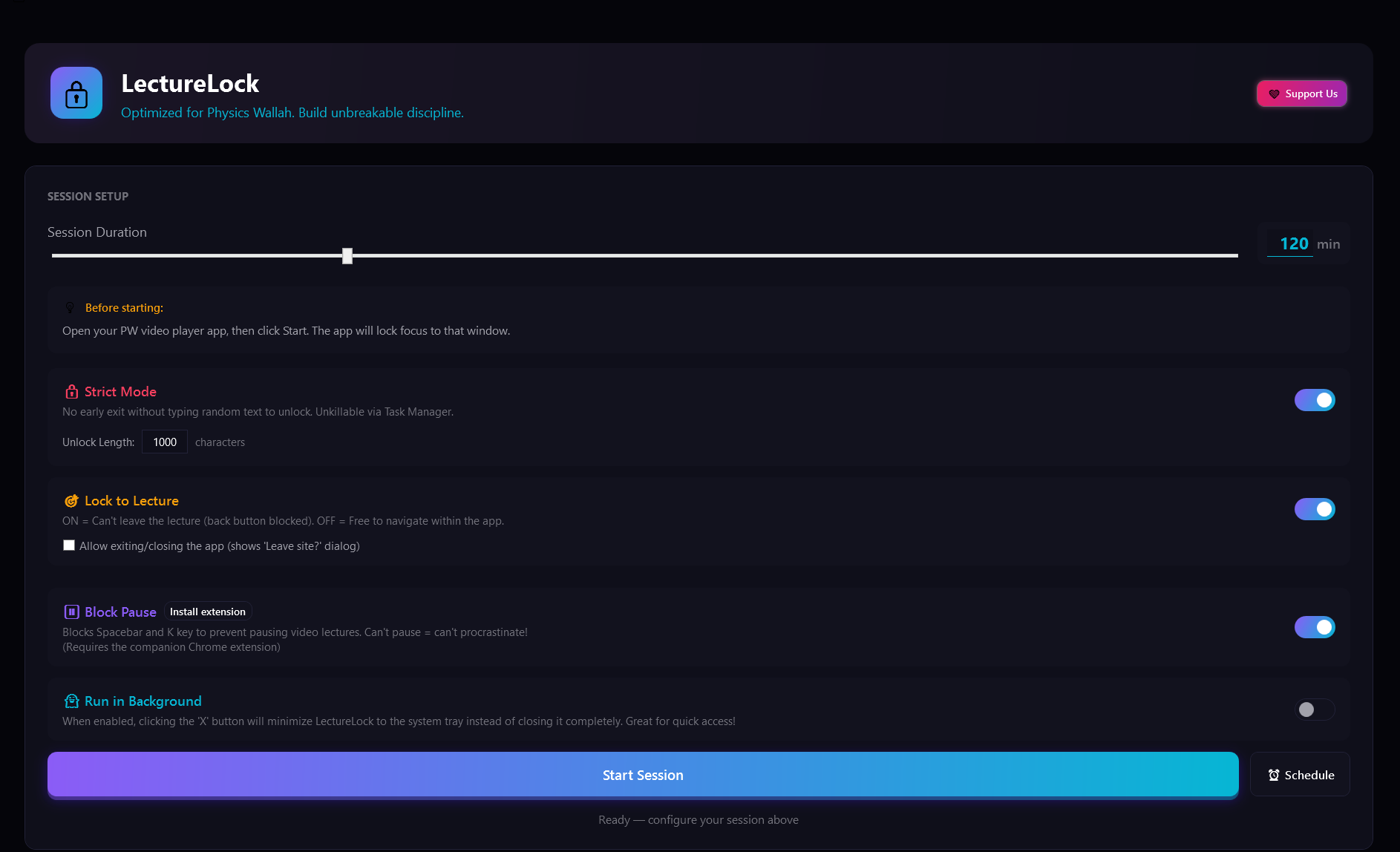
Turn on Strict Mode and there is no simple exit. The only way to stop the timer early is to type out a full paragraph of random characters matching the length you configured — and it's unkillable via Task Manager.
Recommended: set the unlock length to 1000–1500 characters. The sheer effort destroys your urge to quit — forcing you to just keep studying.
1000 characters remaining. Or... just finish the lecture.
Three steps between you and deep focus.
Download & install
Grab the latest LectureLock build for Windows and run the installer. No account, no sign-up.
Set your rules
Whitelist your lecture platform and study tools, pick your session length, then dial in Strict Mode.
Lock in
Start the session and let LectureLock be the discipline you need. Finish the lecture in one go.
Watch in a normal Chrome tab. Still perfectly locked in.
The LectureLock companion extension actively blocks distracting websites during your session and stops the PhysicsWallah player from pausing when you click away to your notes. It runs silently and syncs with the desktop app.
Stop watching. Start finishing.
Be the discipline you've been waiting for.
Free forever, for Windows 10 & 11. Read the User Guide first — LectureLock enforces strict discipline and hides system UI.